A laundromat POS for owners, by owners.
Wash & fold by the pound at the counter, a live map of every washer and dryer on the floor, and every order followed from drop-off to pickup.
14 days free · no card · runs in your browser, on Mac, Windows and iPad · talks back when you say “Hey Fold”
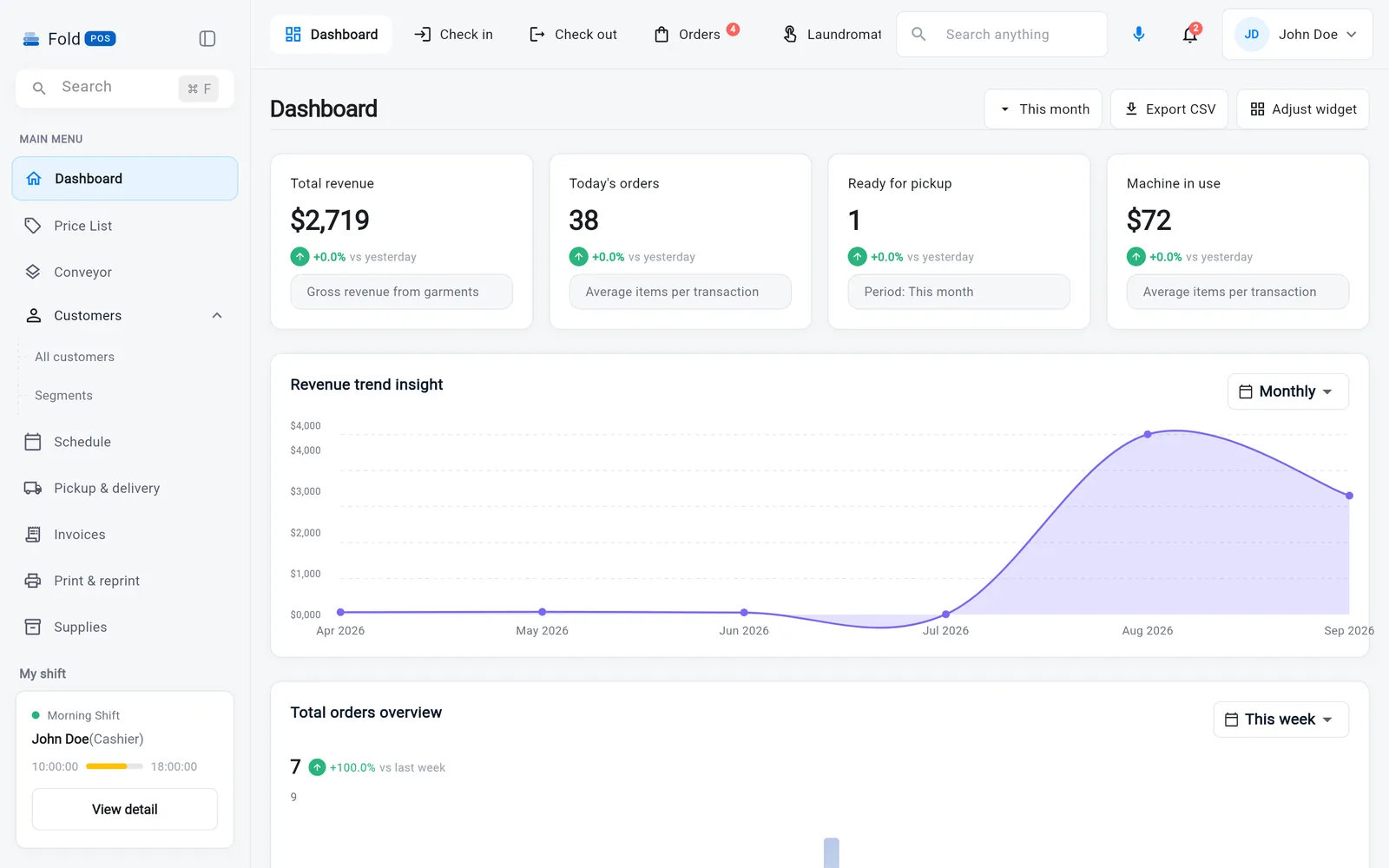
What a laundromat gets on day one.
Choose “Laundromat” at sign-up and this is the POS you see — the tools below and nothing that gets in the way. Change it any time in Settings.
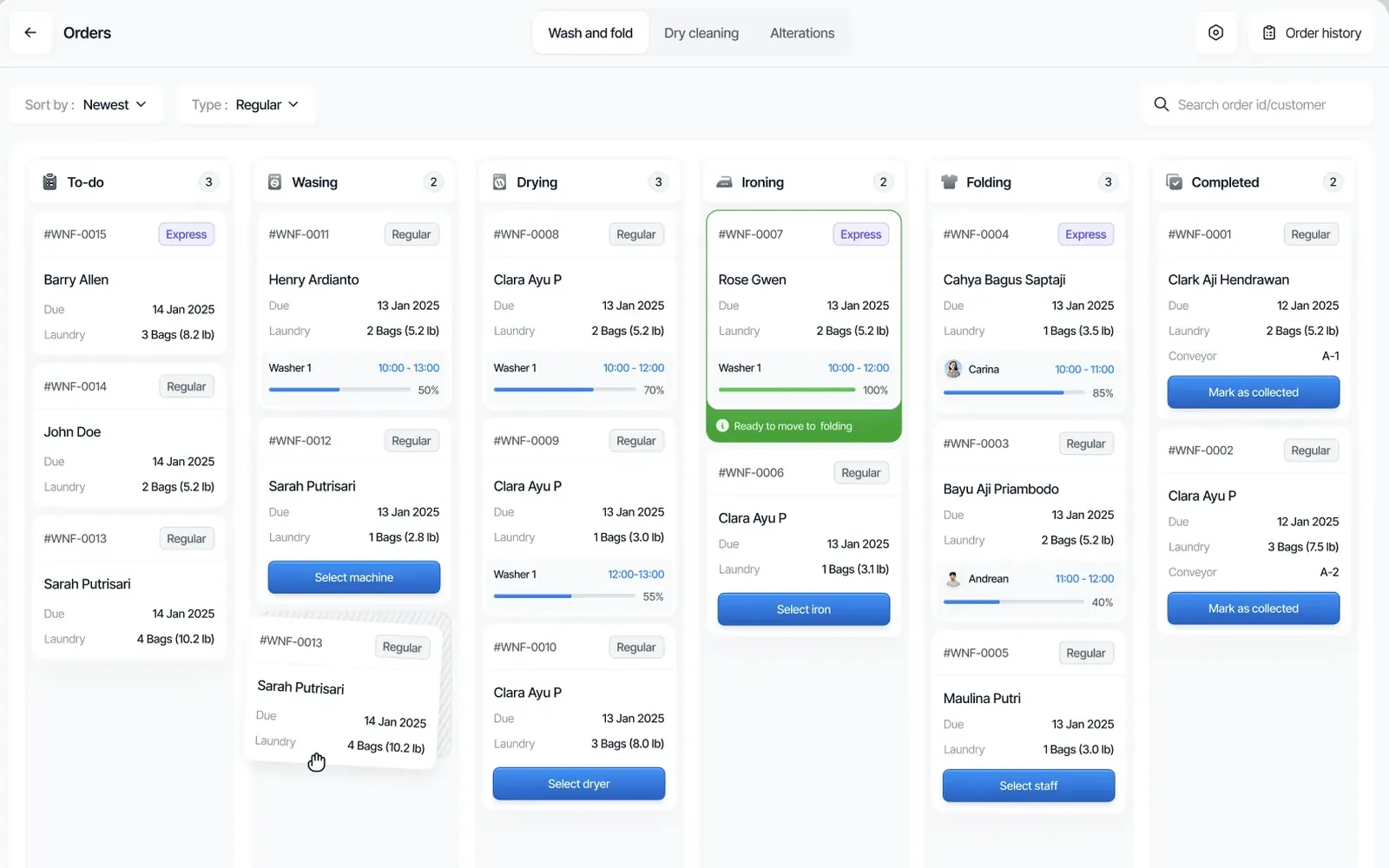
Ring it up the way the customer describes it.
“Two bags, one comforter, rush it.” Weigh a bag, add a per-piece item, toggle express — and the price is right before you've finished talking.
- By the pound with a minimum, by the bag, or by the piece, on one order
- Express fees, discounts and per-customer default pricing applied automatically
- Bag counts and weights on the ticket, so a 3-bag order comes back as 3 bags
- Find a returning customer by name, phone or barcode scan mid-order
- Cash, card or pay-on-delivery; split a payment across two
Two receipts, one tap. A customer copy and a store copy print the moment you submit — on the impact or thermal printer you already own.
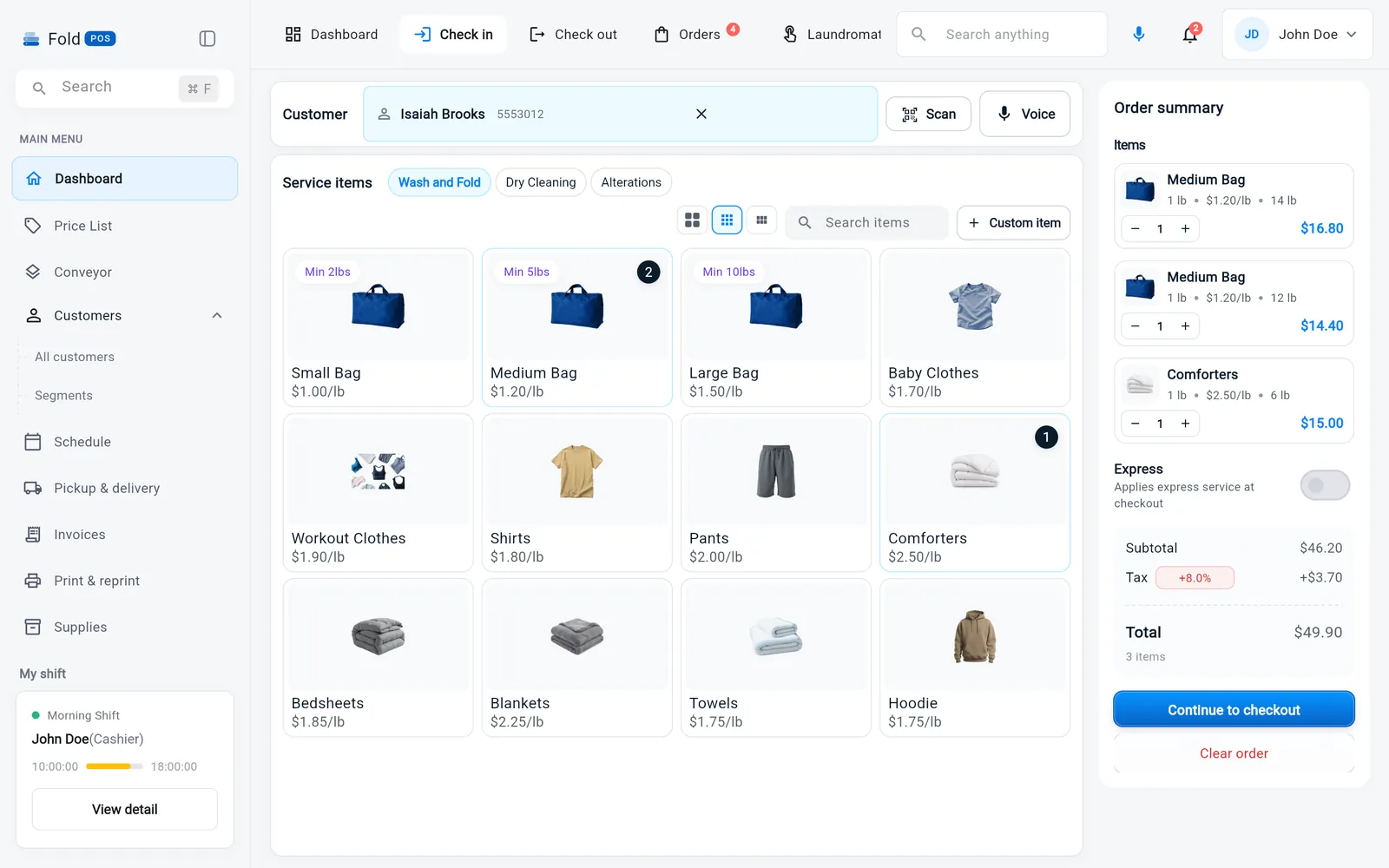
Your floor becomes a live map. Every machine on it keeps a record.
Every washer and dryer sits on a floor plan. Ring a machine up at the counter and the plan shows what's free, what's in use and how long is left — for your staff and for the customer who asks “is 12 open?” Tap any machine and its whole life is there: turns, repairs, the technician who fixed it last.
- Floor plan built from your real brands, sizes, stacks and zones
- Turns per machine per day — see which machines earn their keep
- Ring up a machine at the counter with the time and the wash type; add 15 minutes or end it from the same screen
- Each machine in use shows whose load is in it
- Repair history per machine with cost and downtime; book the technician from the same screen
- Preventive service reminders by turns run, not just by the calendar
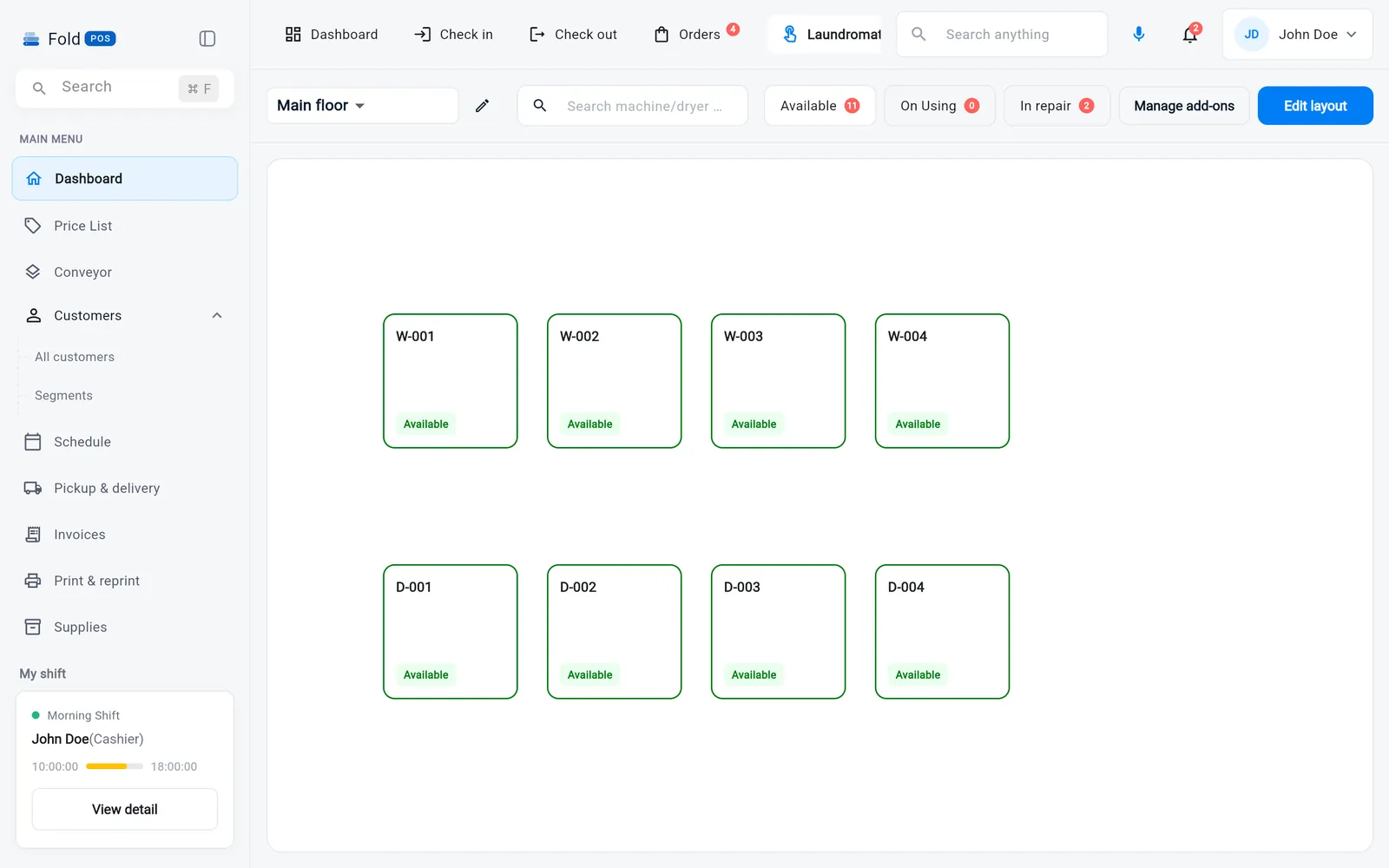
Every order has a column. Every column has a count.
Orders move left to right through washing, drying, folding and completed, so nothing sits forgotten in a machine.
- Separate boards for wash & fold, dry cleaning and alterations
- Express orders flagged in red, due dates on every card
- Assign a washer or dryer in one tap; live cycle countdown on the card
- Photos, notes and price changes stay on the ticket
Reach customers before they think to call.
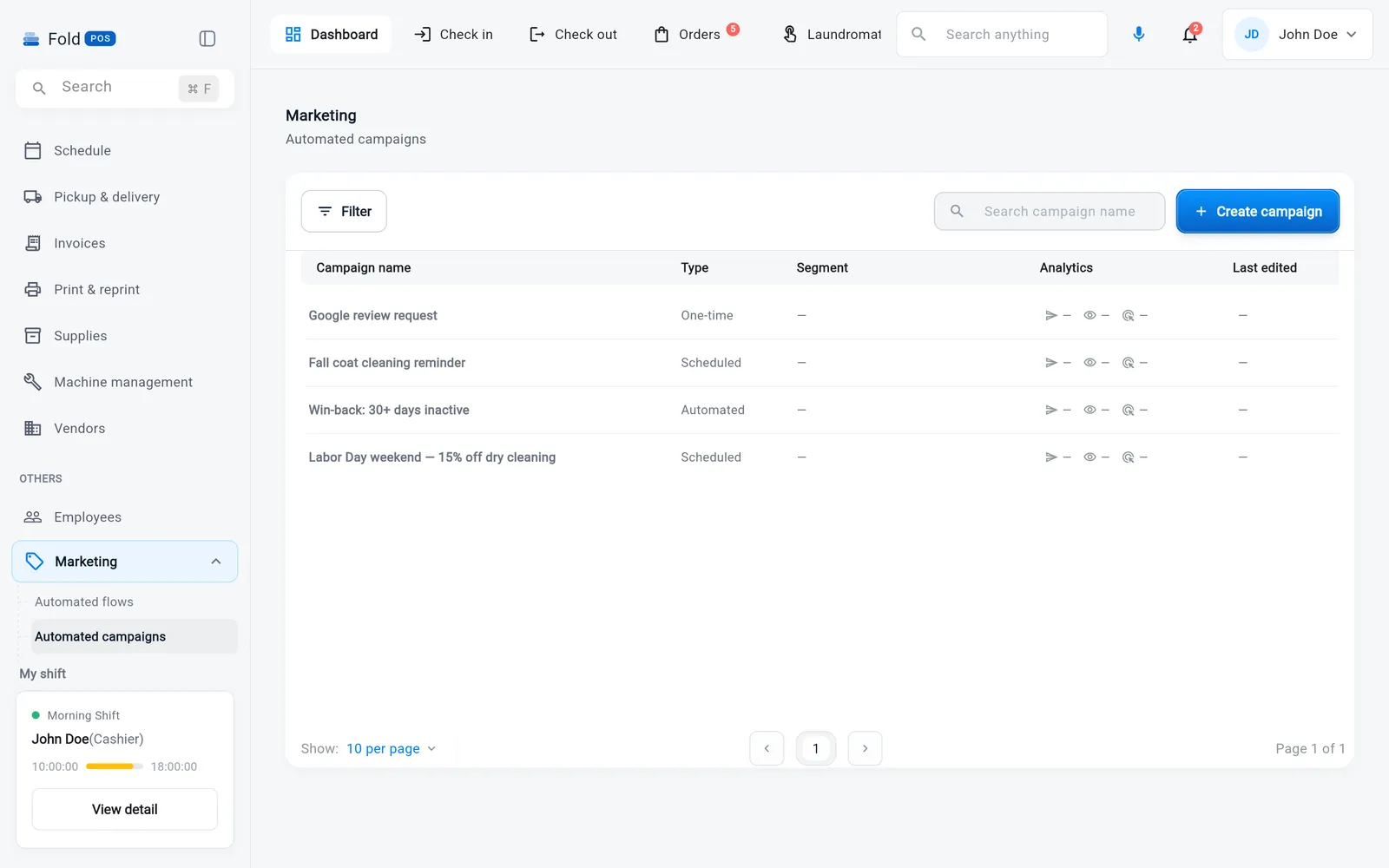
Automated flows that fire on their own — a thank-you after the first order, a nudge at 45 days quiet, a birthday treat — plus SMS, email and push campaigns to segments Fold POS builds for you.
- Flows triggered by first order, order completed, inactivity, birthday
- Segments by spend, service mix and last visit, updated automatically
- “Orders not collected” reminders in one click from Reports
- Delivery and reply tracking on every campaign
A clean handoff every time the shift changes.
Staff clock in and out on the same screen they ring orders on. Roles decide what each person can open. The morning shift sees exactly what happened overnight.
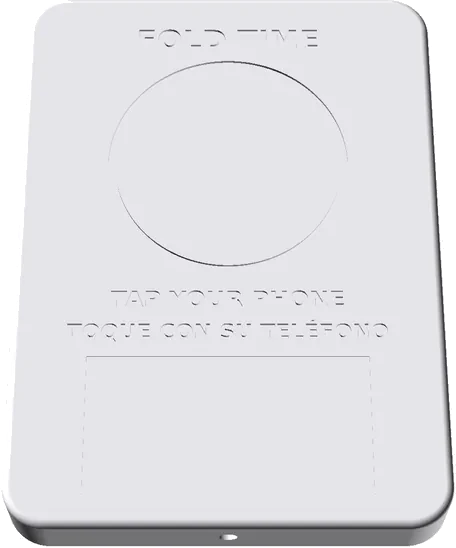
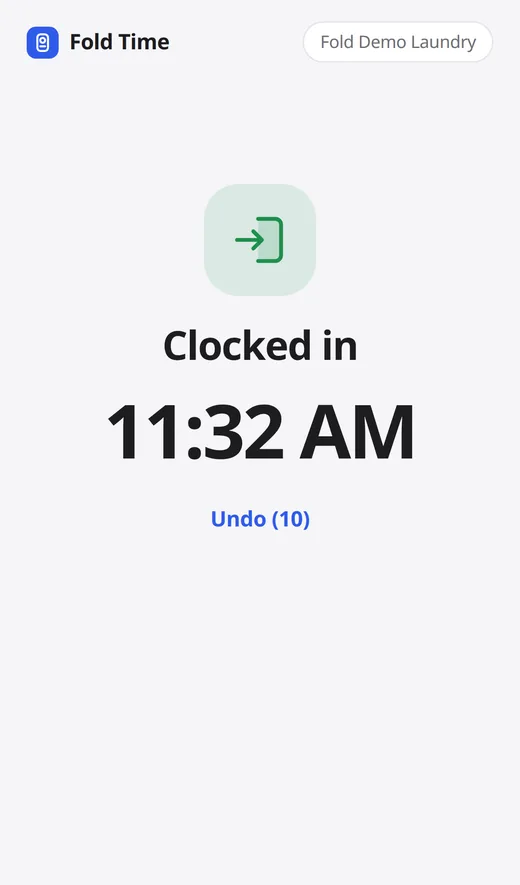
- Fold Time: staff tap their phone on the wall device to clock in, take breaks and clock out. No app. On Growth and Pro, your first device free
- Clock-in, breaks and clock-out tied to each employee
- Roles and permissions per module, an audit log of who changed what
- Shift statistics: orders, revenue and service mix per person
- Built-in team chat and notifications
Everything a shop needs, nothing it doesn't.
The parts you'd otherwise run in three other apps and a spreadsheet.
History, preferences, addresses and notes at the counter. Tax ID, payment terms and monthly invoicing for hotels, gyms and restaurants.
Individual and business invoices with due dates, cancel-with-reason and a paid/pending view you can filter in a second.
Sales by day, week and month, service mix, customers, costs, profit & loss, orders not collected — and CSV export of any of them.
Slots by conveyor and line, assigned at check-in and freed at handoff. Scan the ticket, the rail tells you where the order hangs.
Cash, card, pay-on-delivery and split tenders. On your own card processor, at your rates, with a payment link your customer can pay on their phone.
One search box for customers, orders, tickets and settings. Keyboard-wedge barcode scanners just work.
Pick the plan that matches how many doors you run.
Starter $79, Growth $149 and Pro $249 a month. Month to month, 14 days free, no card up front.
Try it on your own counter.
14 days free. No card, no contract, no sales call.