Fold Time.
A small wall device your staff tap with their own phone to clock in, take breaks and clock out. No app, no time-clock terminal, no PINs to share. It arrives set up and switches on with its first tap.
Staff time clock
Order, unbox, tap.
Four steps, all from Fold POS.
- Order in Fold POS. Schedule › Time clock › Tags › Fold Time devices › Order devices, 1 to 20 at a time. You see the total before you order, and a confirmation with the price comes by text or email.
- We ship it ready. Each device is set up at Fold, labeled and boxed. You get an “on the way” message with the tracking link.
- Tap to switch it on. The first tap of any device with your own phone switches on the whole box for your store and turns on phone clock-in.
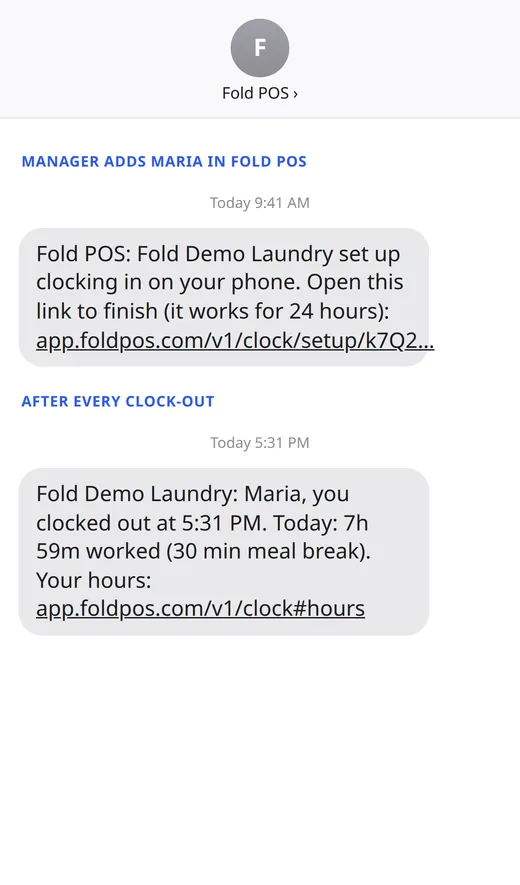
- Add your staff. In Fold POS, Time clock › Phones, add each person. They get a text to set up their phone, then tap any Fold Time device to clock in.
Nothing to pay at checkout: the devices are added to your next Fold POS bill when the box ships.
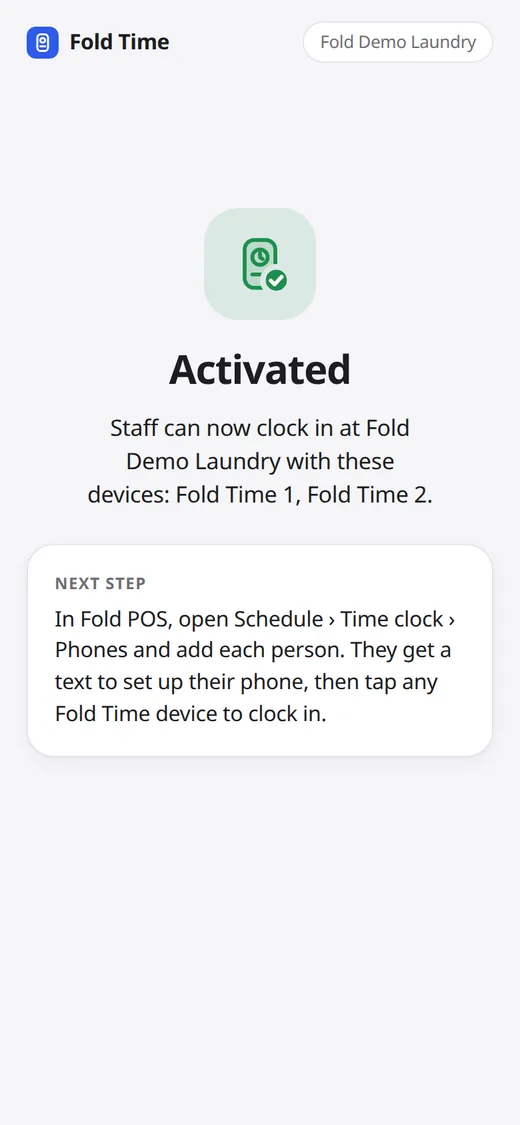
Tap, pick, done.
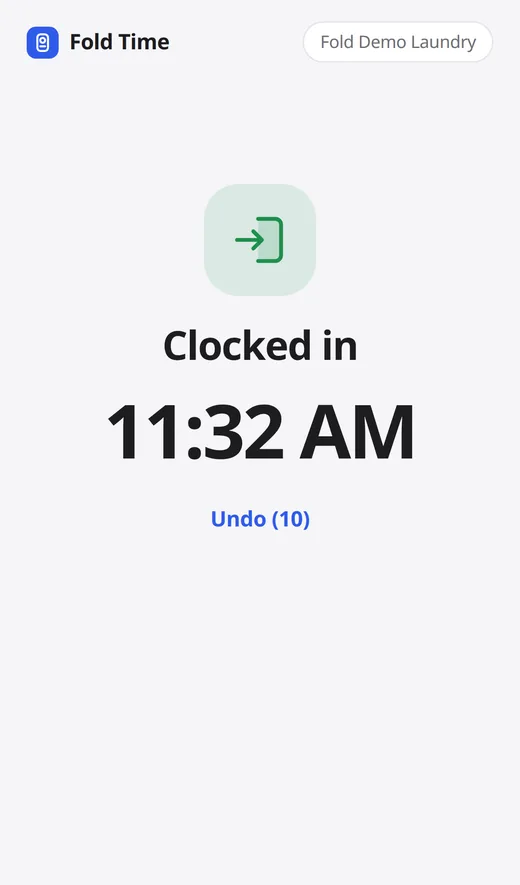
Staff tap their phone on the device and a page opens. No app to install.
- Clock in, start a meal or rest break, end a break, clock out.
- A 10-second Undo after every tap.
- Phones set to Spanish see the page in Spanish.
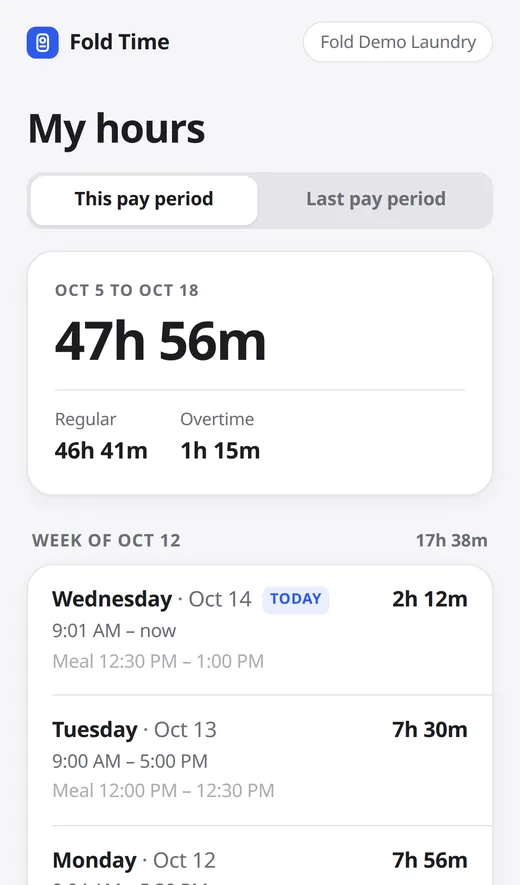
- After clocking out they get a text with today’s hours and a link to My hours: this pay period and the last, week by week, each day with start and end times and breaks, overtime, and whether you approved the period.
- An optional selfie at clock-in, if you turn it on. Only managers see it, it is never face-matched, and it is deleted after 30 days.
Hours you can trust.
Built for the questions that come up on payday.
- No buddy punching by copied links. Every tap carries a one-time code from the chip (NTAG 424 DNA). A copied or replayed link is refused.
- Only registered phones. A phone you have not added in Fold POS can’t clock anyone in.
- Records can’t be quietly changed. Punches are never overwritten. A manager’s correction is recorded next to the original, and the staff member sees “Changed by your manager” in My hours.
- California mode. Daily overtime over 8 hours, double time over 12, the seventh-day rule, and meal and rest premiums flagged for you.
- Payroll. Approved hours go to QuickBooks by kind of pay. A CSV export works with any payroll.
- If a phone is dead. Use the rotating clock-in QR on the POS, or the POS PIN clock.
Small, and nothing to plug in.
It screws to the wall by the door or station where people start work.
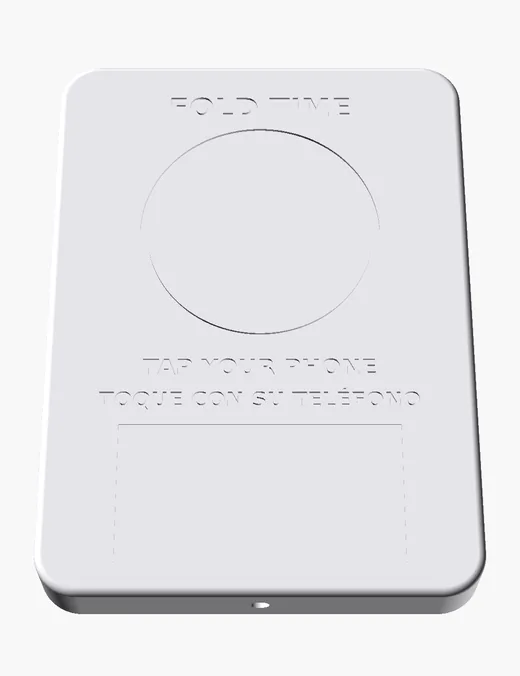
- 80 × 110 × 12 mm. The screws are hidden under the cover.
- “TAP YOUR PHONE / TOQUE CON SU TELÉFONO” on the front, and a label with the station name.
- No batteries, no power, no Wi-Fi: it works through the housing.
- Devices arrive named Fold Time 1, 2 and so on. Rename them in Fold POS.
Shown: a render of the housing. Photos of the real device are coming.
Try it
A walkthrough of a shift, from the first tap to the hours in QuickBooks. Open the walkthrough full screen.
Fold Time questions
Do my staff need an app?
No. The tap opens a web page on their phone.
What does it cost?
$39 a device, your first one free, added to your next Fold POS bill. Shipping included. Fold Time comes with Growth and Pro.
What if someone copies the link?
It won’t work. Each tap carries a one-time code from the chip, so a copied or replayed link is refused.
Can staff clock in from home?
Not by tap: they have to tap the device at the store. The backup clock-in QR is on the POS screen, at the store.
What if an employee’s phone dies?
Use the clock-in QR on the POS or the POS PIN clock.
How do staff see their hours?
The link in their clock-out text, or the My hours button after any tap. It shows this pay period and the last.
How many do I need?
One for each door or station where people start work. Most shops need one or two.
Does it work with payroll?
QuickBooks directly; any other payroll with the CSV export.
Prices and plans on the pricing page. More short answers in the help center.
Try it on your own counter.
14 days free. No card, no contract, no sales call.