Point of sale for dry cleaners

Point of sale for dry cleaners, not retail.

Garment tags, conveyor slots and per-piece tickets — with wash & fold and pickup & delivery on the same counter when you offer them.

14 days free · no card · runs in your browser, on Mac, Windows and iPad

pos.foldpos.com
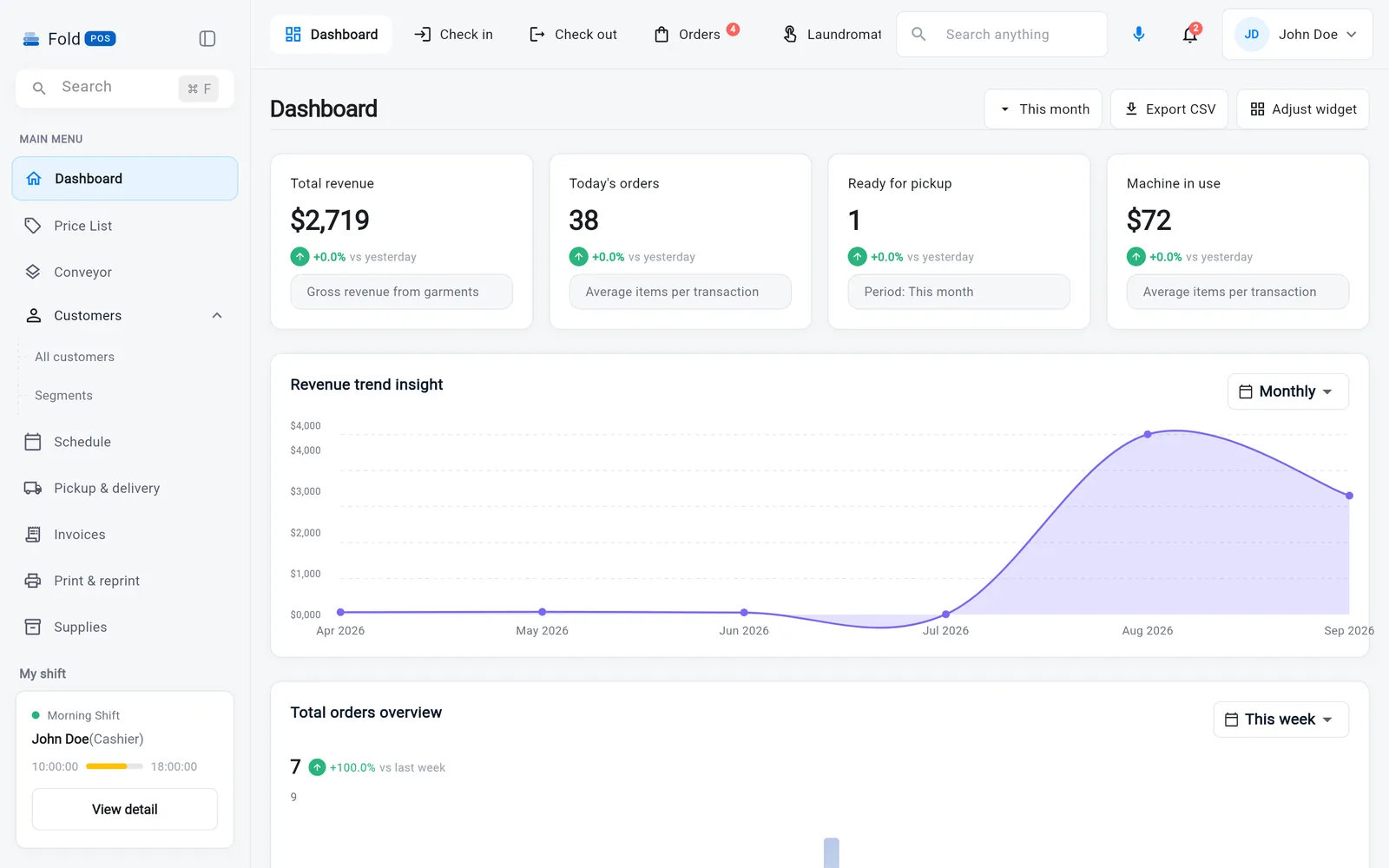
Fold POS dashboard: revenue, today's orders, ready for pickup, machines in use
Wash & fold Dry cleaning Alterations Self-service floor Pickup & delivery Machines & supplies Staff shifts Marketing
Built for how your shop works

What a dry cleaner gets on day one.

Choose “Dry cleaner” at sign-up and this is the POS you see — the tools below and nothing that gets in the way. Change it any time in Settings.

Not a dry cleaner?For laundromats For tailors
Dry cleaning

Every garment gets a tag. Every order gets a slot.

Itemize by the piece, note the stain, heat-seal a barcode on each garment, hang the order on the conveyor — and Fold POS remembers where it is until the customer walks in.

  • Per-piece tickets with photos, stain and damage notes
  • Heat-seal tags numbered 1/8 … 8/8 with lot number and due day
  • Conveyor slot assigned at check-in, freed at hand-over; find any order by scanning its ticket
  • Alterations priced per task on the same ticket
Order details
Order ticket with itemized garments, customer details, notes and photos
Wash & fold · drop-off laundry

Ring it up the way the customer describes it.

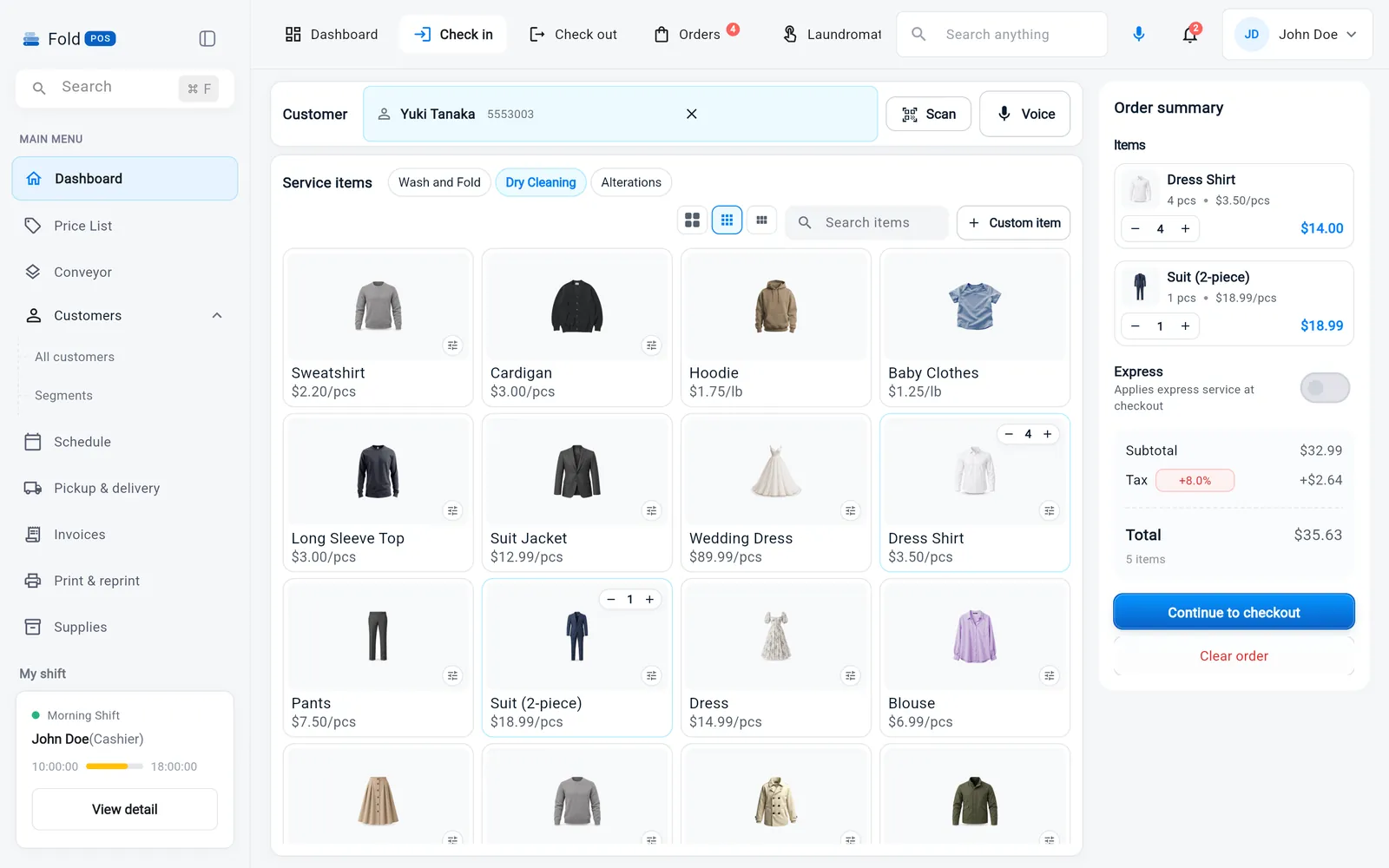
“Two bags, one comforter, rush it.” Weigh a bag, add a per-piece item, toggle express — and the price is right before you've finished talking.

  • By the pound with a minimum, by the bag, or by the piece, on one order
  • Express fees, discounts and per-customer default pricing applied automatically
  • Lives beside dry cleaning on the same counter — one customer, one ticket, two services
  • Find a returning customer by name, phone or barcode scan mid-order
  • Cash, card or pay-on-delivery; split a payment across two
Two receipts, one tap. A customer copy and a store copy print the moment you submit — on the impact or thermal printer you already own.
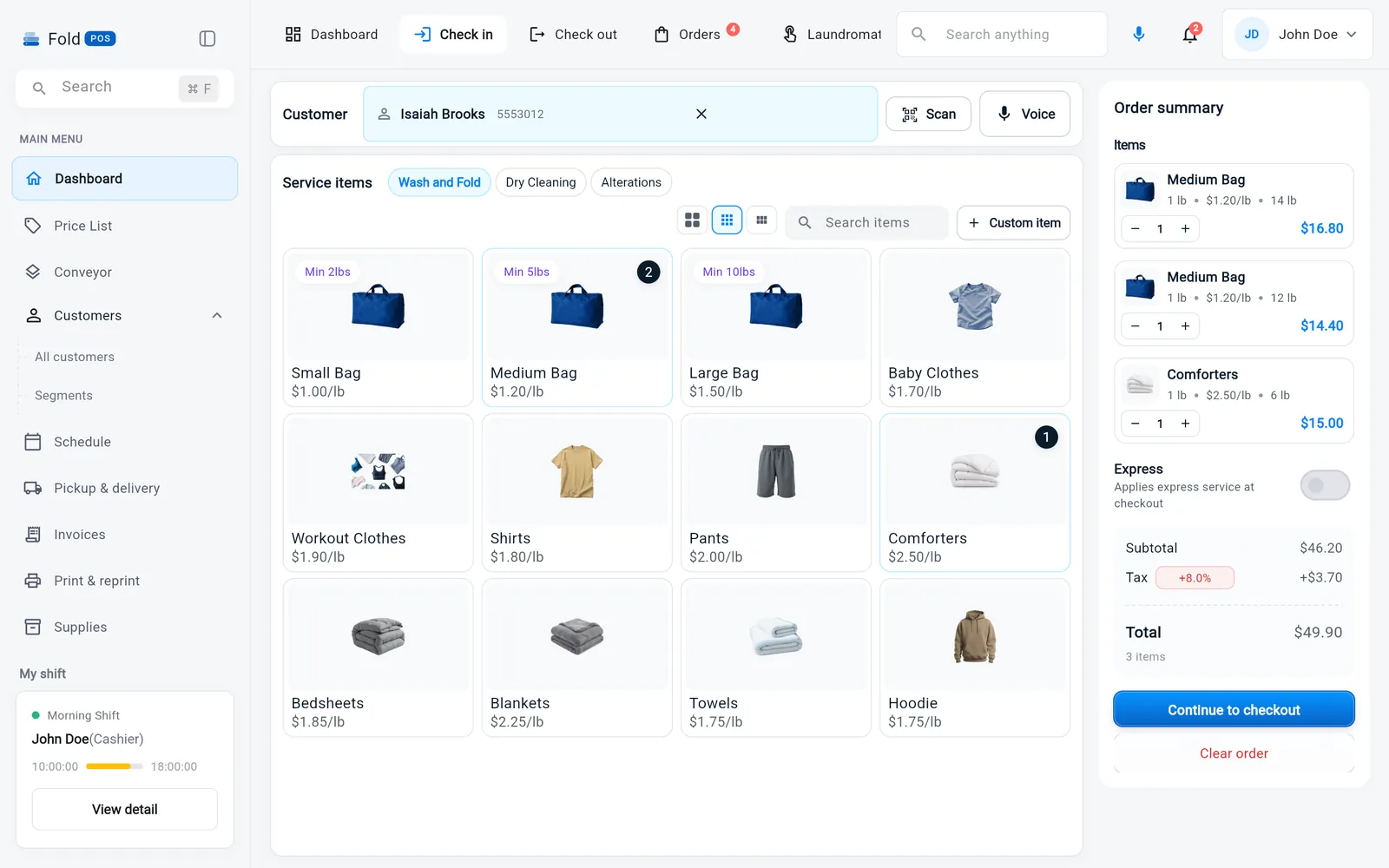
Check in · Wash & fold
Check-in screen with wash and fold items and an order summary
Orders

Every order has a column. Every column has a count.

Orders move left to right through inspection & tagging, cleaning, pressing and completed, so nothing sits forgotten on a rail.

  • Separate boards for wash & fold, dry cleaning and alterations
  • Express orders flagged in red, due dates on every card
  • Assign a presser or seamstress in one tap
  • Photos, notes and price changes stay on the ticket
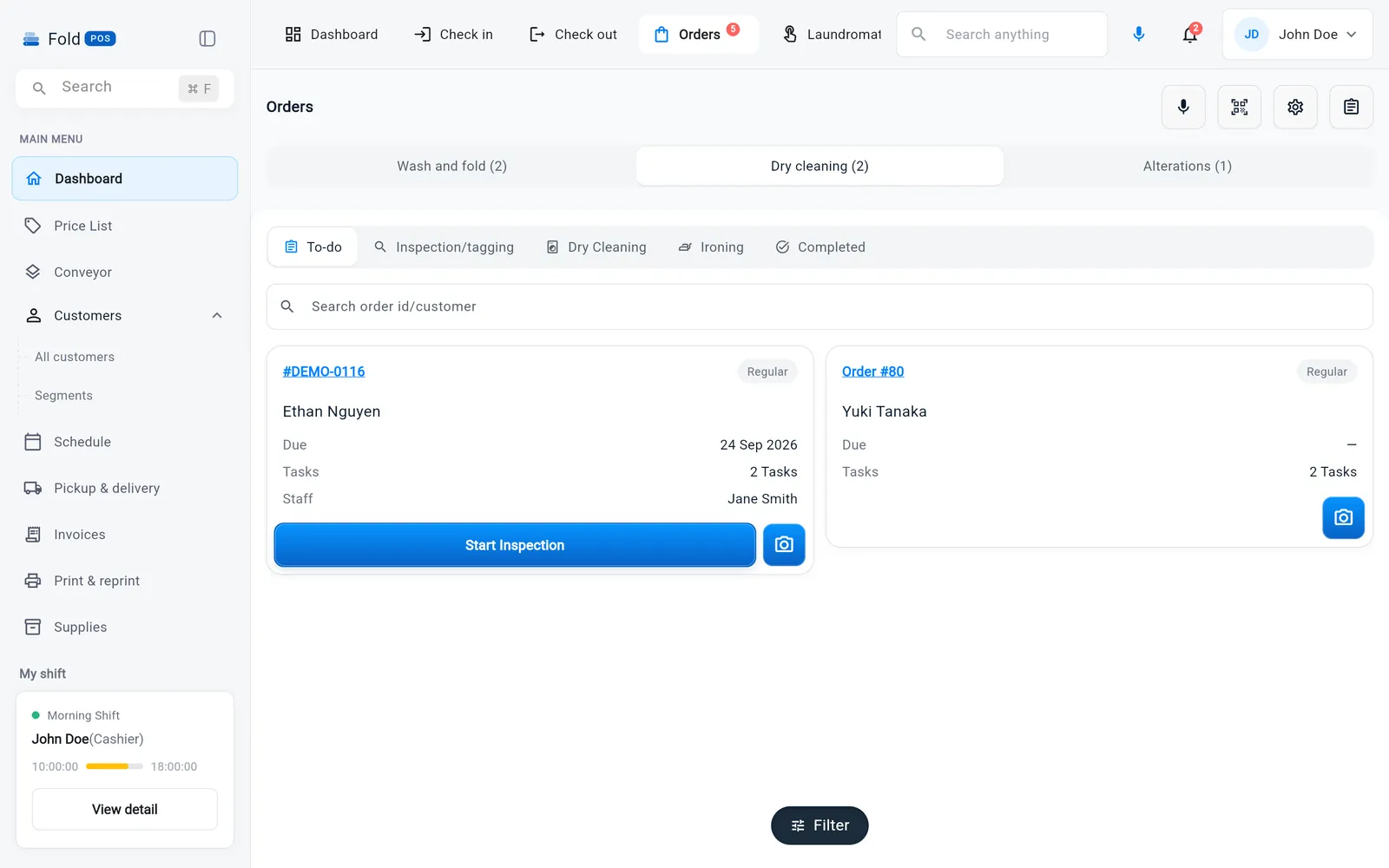
Orders · Dry cleaning
Dry cleaning workflow board: to-do, inspection and tagging, dry cleaning, ironing, completed
Pickup & delivery

Build the day's route in one click. Know what it cost you.

Pick the drivers, press Build, and every pickup and delivery is sequenced into a route with ETAs and a map. Drivers get a stop list on their phone; you get the margin per order.

  • Optimised routes from the day's scheduled stops, reorder by drag
  • Insights: stops completed, on-time %, cost per order, margin per order
  • Partner jobs from Fold, Laundryheap and Rinse land in the same schedule
  • Status callbacks and a driver run sheet, no separate app
Pickup & delivery · Routes
Route builder with a sequenced stop list, drivers and a map

Route builder · Insights and Partners tabs sit beside it

Machines

Every cleaning machine and press has a record.

Log a repair as it happens, book the technician from the same screen, and see which machine is costing you money before it fails mid-shift.

  • Repair history per machine with cost and downtime
  • Technician appointments and a vendor book for plumbers, electricians and parts
  • Machine history without the laundromat floor map — you don't need it, so it isn't there
Machine management
Machine management list with dryers and a dry-clean machine, each with status and last service
Supplies

Know what's running low before it runs out.

Solvent, poly bags, hangers, heat-seal tag rolls and press pads, with a low-stock line that turns amber before you're on your last box.

  • Quantity, minimum stock, unit cost and supplier on every item
  • Supplier catalogue: Cleaner's Supply, WAWAK, United Fabricare
  • Usage logged against the orders that consume it
Supply management
Supplies table with available, out-of-stock and scheduled counts and a low-stock warning
The same for every shop

Whatever you clean, the back office is the same.

Customers, staff, marketing, printing, reports and payments work identically for a laundromat, a dry cleaner or a tailor — so a mixed shop never runs two systems.

Marketing

Reach customers before they think to call.

Automated flows that fire on their own — a thank-you after the first order, a nudge at 45 days quiet, a birthday treat — plus SMS, email and push campaigns to segments Fold POS builds for you.

  • Flows triggered by first order, order completed, inactivity, birthday
  • Segments by spend, service mix and last visit, updated automatically
  • “Orders not collected” reminders in one click from Reports
  • Delivery and reply tracking on every campaign
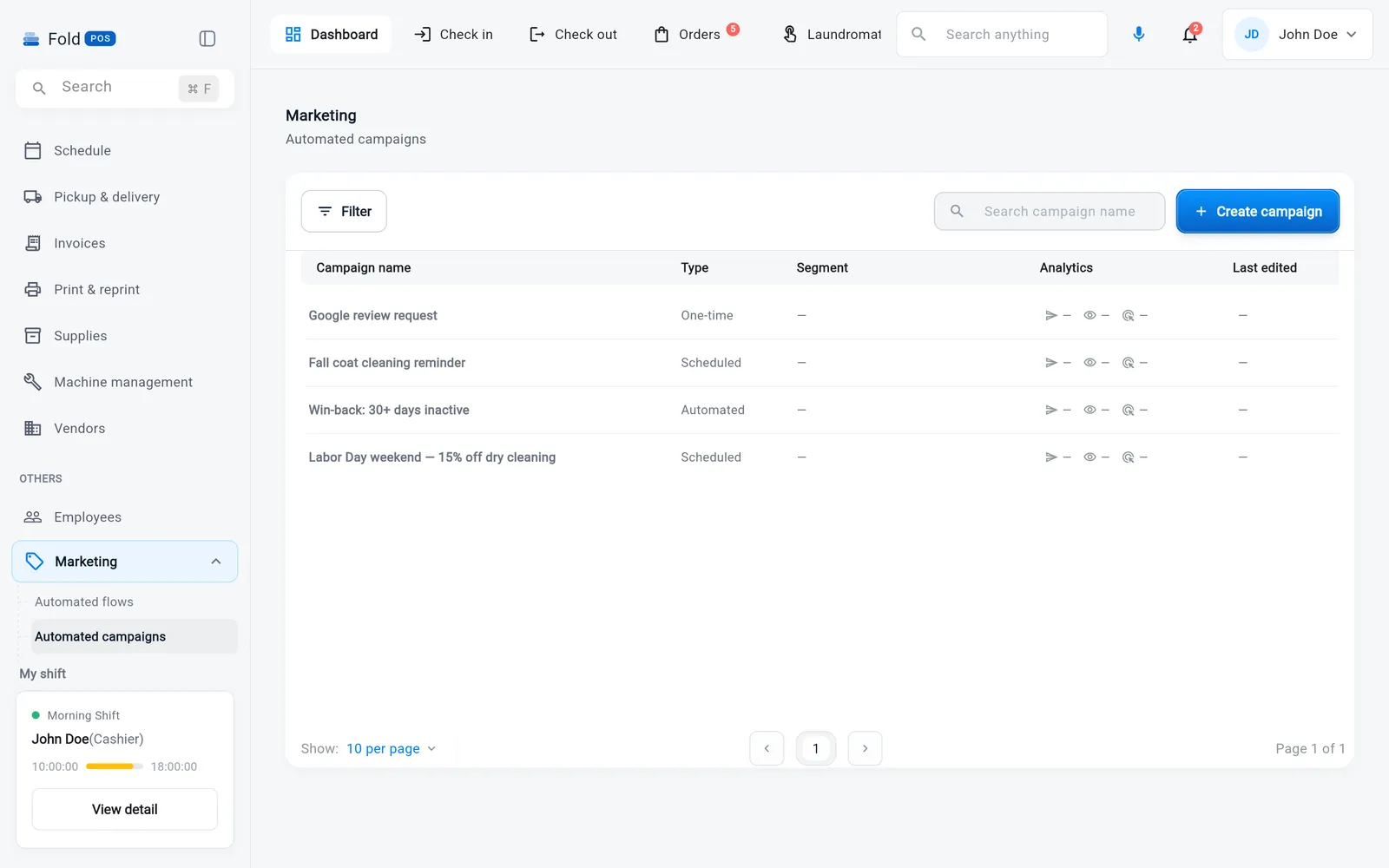
Marketing · Automated flows
Automated marketing flows: birthday treat, lapsed 45 days, ready for pickup notice, first-order thank-you
Staff

A clean handoff every time the shift changes.

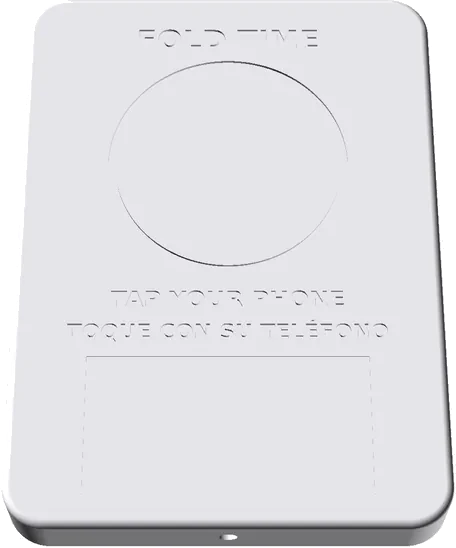
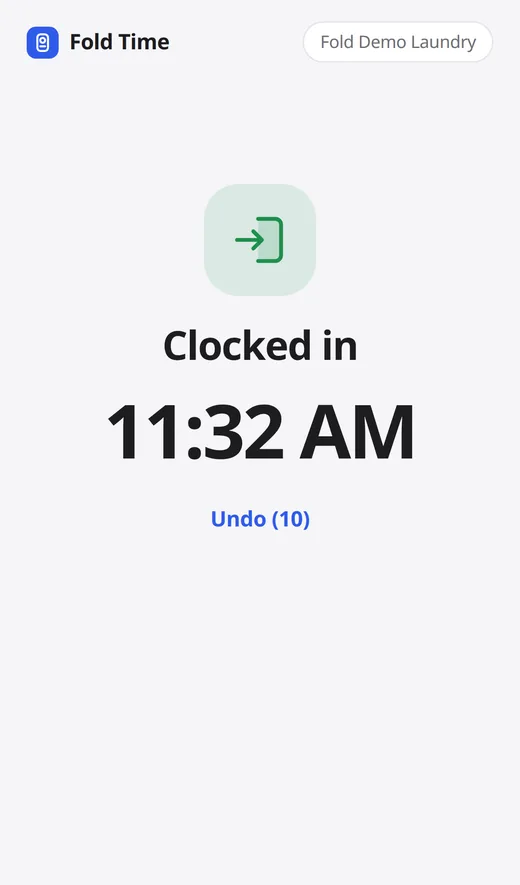
Staff clock in and out on the same screen they ring orders on. Roles decide what each person can open. The morning shift sees exactly what happened overnight.

  • Clock-in, breaks and clock-out tied to each employee
  • Roles and permissions per module, an audit log of who changed what
  • Shift statistics: orders, revenue and service mix per person
  • Built-in team chat and notifications
Employees
Employees list with roles, shifts and status
Hey Fold

Say the order. It's rung up, printed and tagged.

Hands full of someone's laundry? Talk to the counter. Fold listens for its name, takes the order down, confirms it back to you, and sends the receipt and garment tags to the printer.

  • Always-on wake word, push-to-talk as a fallback
  • Customer lookup, order status and production updates by voice
  • Works on the browser, Mac and Windows builds with a plain microphone
You
Hey Fold — new order for Maria Garcia. Two bags wash and fold, one comforter, pickup Thursday.
Fold
Got it. Maria Garcia — 2 bags wash & fold, 1 comforter, due Thursday. $46.50. Print and tag?
You
Yes.
Print
Receipt #WNF-0417 · customer + store copy → Epson TM-T20
Tags 1/3 · 2/3 · 3/3 → Zebra heat-seal
Receipts & tags

Prints on the printers you already own.

Claim tickets on the impact printer, garment tags on the heat-seal printer — Fold Print Agent pairs with a six-digit code and keeps them printing from any browser tab or the desktop app.

  • Epson TM-T20, Bixolon SRP-275, Star and Zebra out of the box
  • Lot number, piece count, customer, due day and barcode on every tag
  • Permanent heat-sealed barcodes for regulars: scan the garment, it knows the customer
  • Reprint any receipt or tag from the print queue
Also in every shop

Everything a shop needs, nothing it doesn't.

The parts you'd otherwise run in three other apps and a spreadsheet.

Customers & B2B accounts

History, preferences, addresses and notes at the counter. Tax id, payment terms and monthly invoicing for hotels, gyms and restaurants.

Invoices

Individual and business invoices with due dates, cancel-with-reason and a paid/pending view you can filter in a second.

Reports you can actually read

Sales by day, week and month, service mix, customers, costs, profit & loss, orders not collected — and CSV export of any of them.

Conveyor

Slots by conveyor and line, assigned at check-in and freed at hand-over. Scan the ticket, the rail tells you where the order hangs.

Payments built in

Cash, card, pay-on-delivery and split tenders. Stripe or Clover behind a payment link your customer pays on their phone.

Search anything, ⌘F

One search box for customers, orders, tickets and settings. Keyboard-wedge barcode scanners just work.

Runs where your counter is

The same POS in a browser tab, as a Mac or Windows app, or on the iPad by the register. One login, same data everywhere.

BrowsermacOSWindowsiPad

Printers & scanners

Keep the hardware you have. If you'd rather not source it, we sell ready-to-go counter bundles.

EpsonBixolonStarZebraUSB scanners

Delivery partners

Turn a marketplace on, give them the API key, and their jobs land in your schedule with status updates flowing back.

FoldLaundryheapRinse
Simple pricing

Pick the plan that matches how many doors you run.

Every plan is month-to-month with a 14-day free trial and no card up front. Change or cancel any time from Settings.

Starter
For a single counter
$39/month
Start free trial
  • Check-in, orders board & payments
  • Customer accounts & history
  • Receipts, tags & printing
  • Daily reporting
  • Machine maintenance log
Most popular
Growth
For shops adding delivery & staff
$59/month
Start free trial
  • Everything in Starter
  • Pickup & delivery routing
  • Staff shifts & clock-in/out
  • Express & subscription pricing
  • Marketing & order reminders
  • Supply inventory & reorder suggestions
Pro
For multi-location shops
$79/month
Start free trial
  • Everything in Growth
  • Multi-location reporting rollups
  • Route optimization
  • Role-based staff permissions
  • Priority support
  • Multi-location machine & supply reporting
Card processing at competitive rates on every plan. Hardware bundles from $499. Running more than 5 locations? Talk to sales →
Before you switch

Questions owners actually ask.

Anything else — contact@foldpos.com.

Do I need new hardware, or can I use what I have?

Fold POS runs in a browser, on Mac and Windows, and on most iPads, with the receipt and tag printers you already own — Epson, Bixolon, Star and Zebra are supported out of the box. If you'd rather not source your own, we sell ready-to-go counter bundles.

Can I bring over my customers and orders from Cents or CleanCloud?

Yes. Our migration tool imports customers, order history and pricing so you're not starting from a blank counter on day one.

What happens after the 14-day trial?

You pick a plan from Settings › Plan & billing. If you don't, the POS goes read-only — everything you entered stays, and choosing a plan brings it right back. No card is needed to start.

Is there a contract?

No. Every plan is month-to-month; you can change tiers or cancel any time from Settings.

Does it work across multiple locations?

Yes. Growth and Pro plans roll up reporting across locations while keeping each shop's own boards separate.

How is Fold POS related to Fold?

Fold POS is built by the team behind Fold, a laundry and dry-cleaning service. We run our own counters on it — it's purpose-built for laundromats, dry cleaners and tailors, not a retail checkout with a laundry logo.

Your counter's about to get a lot quieter.

Start free — no credit card, no contract, no sales call required.